Keep the version that worked
Save a useful prompt. Edit it when needed, then choose when to save your changes.
 Kepzi
A personal prompt library for Mac
A prompt that worked is worth keeping.
Save it, find it, and make it yours again.
Native Mac app · Stored locally by default · One-time Pro purchase
Current App Store requirement: macOS 27.0 or later. Check the store for your Mac, regional availability, and pricing.
Explain this in plain language.
Start with the point, then give an example.
From saving to using again
Good prompts do not have to disappear into chat history.
Give them a place you can return to.
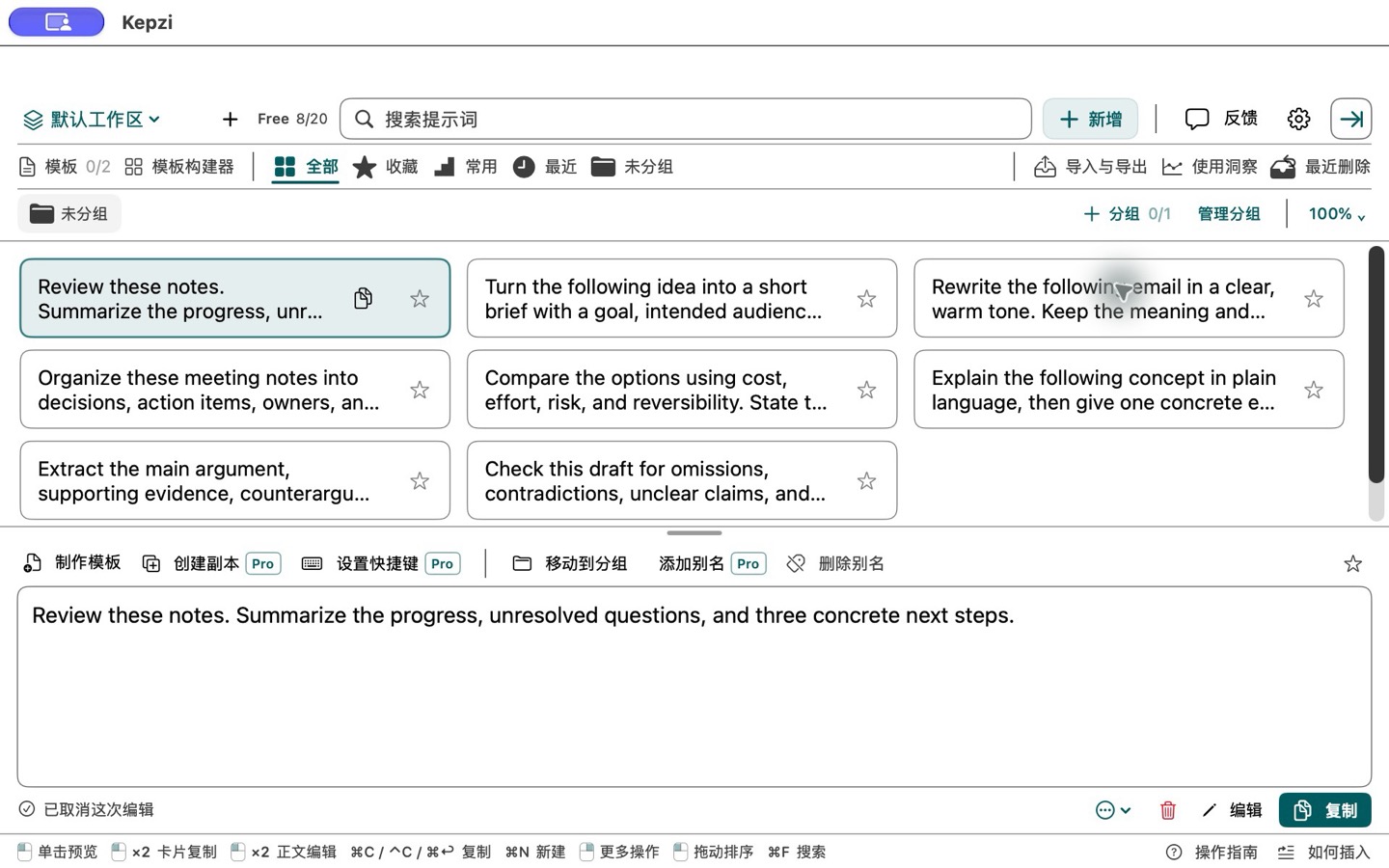
Save a useful prompt. Edit it when needed, then choose when to save your changes.
Separate projects with workspaces. Use groups, tags, and favorites to organize your library.
Search, preview, and copy. Turn frequently changing details into template fields and fill them in.
Start with a small task
Pick an example, add your details, and copy the result.
These examples do not run AI or upload your input.
No matching examples. Try another word or select All.
Keep control of your library
Kepzi stores your library locally by default. Export a copy,
or choose to enable your own iCloud sync with Pro.
Optional syncUses your own iCloud account and its available storage.
Optional app analyticsOff by default and controlled separately from sync.
Export and recoverKeep an exported copy. Recover removed prompts from Recently Deleted.
Built around your everyday use
Start with the basic features.
Explore Pro when you need more room and ways to organize.
For a small library of prompts you return to.
For more projects, more prompts, and your other Macs.
Free and Pro describe in-app feature tiers. The app download may be paid. Download price, Pro pricing, compatibility, and availability are shown in your region's App Store. Apple handles purchases and restoration. Family Sharing is not offered at launch.
A few questions
Kepzi saves, organizes, and helps you reuse your prompts. It does not provide an AI chat or model service. Copy a prompt into whichever AI tool you choose.
Kepzi puts workspaces, groups, search, favorites, template fields, and copying together in one prompt library. It is designed for finding and reusing the same useful material.
Your library stays local by default. Pro iCloud sync is optional. Online app analytics has its own switch and is off by default. See the privacy page for the full policy and website information.
Pro is a one-time purchase without automatic renewal. Use Restore Purchases in the app with the Apple account used for the purchase. This can differ from your iCloud account.
Select Fill & copy, add your details, and paste the result into an AI tool. You can also save it in Kepzi. The website does not run a model; check the output against your task.
Visit Help or email admin@qiaboluo.com. Include your app and macOS versions, steps to reproduce the issue, and a fictional example. Do not send passwords, payment details, or a private prompt library.
Next time, start with what worked.